
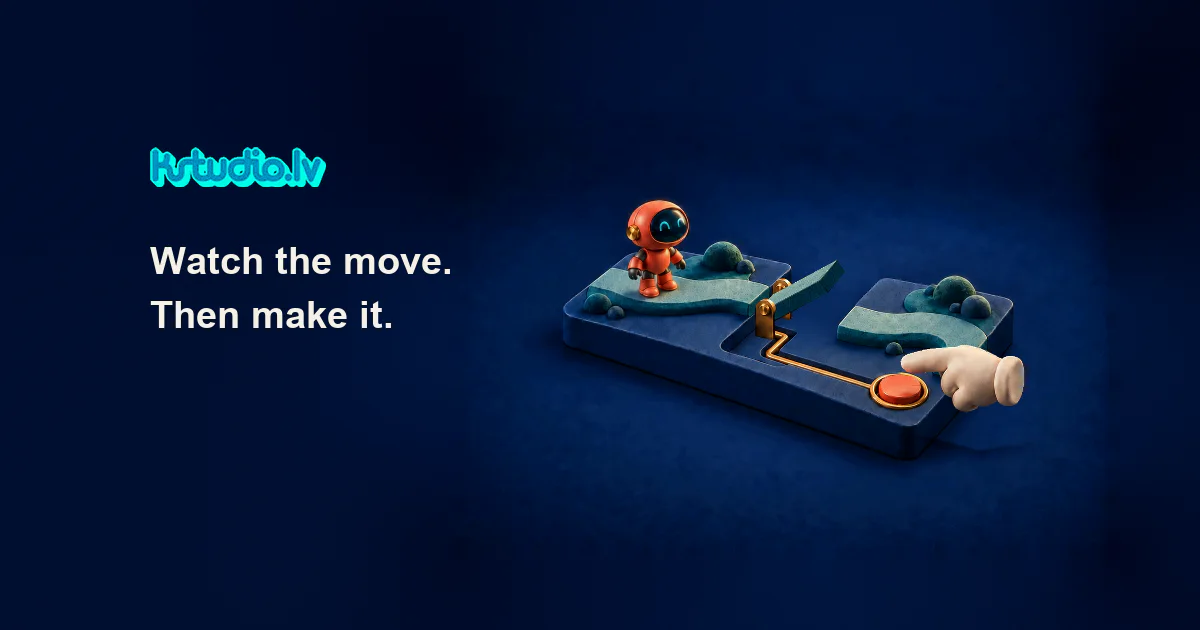
A video shows a button being pressed. A bridge lowers, and a robot walks across. The action is easy to follow. But suppose the viewer had the button: would making that press add something worth experiencing?
That is the question behind “Watch the move. Then make it.” Our robot and bridge scene is an AI assisted editorial illustration. It shows an animated sequence, not a working playable or a client result. It gives us a concrete action to consider.
For a creative lead whose team already produces video, that distinction matters. The video can continue doing its job. There is another production task to discuss only if taking part offers the audience something useful.
Give the viewer a particular action
For this scene, I'd start with the button press. The viewer would see the gap and the robot waiting on one side. Their press would lower the bridge; the robot could then cross.
The proposed action has a visible consequence. The viewer would be able to connect what they did with what changed on screen. That connection is the reason to explore the interactive version.
It also gives the production team something specific to evaluate. They can discuss the button, the waiting scene and the bridge response, rather than an open ended request to make a video “interactive.”
The timeline already knows what happens
In the illustration, the sequence plays in a fixed order. The viewer does not control the button. Playing or pausing the film changes playback, not the robot's behaviour.
A playable version would need a different arrangement. The scene would wait for input, recognise a valid press and move into the bridge lowering state. The response would have to make the effect of the press visible. After the crossing, the experience would need to recognise completion.
Small questions become real production decisions here. What happens if the viewer presses twice? Can they trigger the crossing before the bridge is down? How do they know their input was accepted?
These are proposed behaviours, not features hidden inside the animation. They would need to be designed, implemented and tested in an interactive build.
Keep the video team's contribution
An existing video team may already have the visual direction, a clear action and assets useful as references or production sources. What can carry into a playable depends on the actual material and the intended interaction.
KSTUDIO's role can be a defined interactive production contribution alongside that work. The conversation starts with what the viewer should be able to do and what must be built to support it. A finished video alone does not establish that the necessary interactive assets or behaviour exist.
There is also a reasonable stopping point. If the audience only needs to understand the action, the video may be enough. Adding a press is worth considering when control contributes to the experience, rather than simply adding a step.
Check the package when there is a package
Once an HTML or ZIP package exists, our free Playable Checker covers a set of technical checks. It is a resource for the built file; it cannot decide whether an unmade idea deserves production.
Interaction and lifecycle behaviour still need testing in the target network's SDK. A technical file check does not establish creative effectiveness or guarantee network approval.
Is there a moment in your video you'd like the viewer to play? Describe the action. We can discuss whether it makes sense as a playable and what would need to be built.
Comments (0)
Awaiting moderation. Only you can see this.